
Hal Voice Commands2.1 - Google Play
You'll be able to see results in few seconds.
Publisher Description
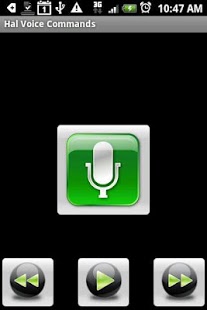
Hal Voice Commands features several capabilities including voice recognition/commands, music player, document reader (eReader), voice synthesis, News, Weather, CallerID and safer driving (beta). It is designed to avoid looking at the phone screen and minimize distractions. This application is voice activated and able to interact with the user by talking. Hal provides several Siri-like features.
Voice command examples include:
Call Jenny
Call 9064567892
Dial 911
Redial
Documents
Location
Music
News
News about president Obama
Weather
Calendar
Playlists
Songs
What time is it ?
What is the date ?
Please remember that Android voice recognition and synthesis are still work in progress. There are many factors to consider. Don't expect flawless voice recognition and synthesis. Don't download otherwise. Using song numbers improves accuracy.
The media player includes the following features, among others:
- Voice activated search based on song or item number. You can also perform other voice activated searches. For instance, say:
100
search thriller
search song thriller
search artist Michael Bulton
search album party
playlist myplaylist
- Talking capabilities. The media player speaks and provides you with information about the current song or item, including song number and title.
- Playlist menu option: display all the playlists available. A specific playlist can be selected and played by clicking on it. A long click will direct the media player to speak and tell you the title of the playlist.
- Fast forward and backward searches. Searches can include all the songs or be limited to the scope of a playlist. You can combine the forward and backward buttons to skip to a specific song. This is in case you choose not to use the voice activated search feature.
- 4-button simple interface and tactile (haptic) feedback that, along with the voice recognition and talking capabilities, also avoids looking at the screen.
- The document reader helps you work and study by reading PDF, HTML and .txt documents. It can read HTML documents directly from the internet (web) which requires an internet connection. You can also transfer the document
(extension .pdf, .htm, .html or .txt) to the device (sd card).
This is a beta version. Your feedback and comments
are appreciated.
- The advanced version also features GPS/location tracking capabilities which allow you to send your current location to family and friends. Because the latest version requires additional permissions, you will need to download a separate application from the market:
Hal Virtual Assistant
http://market.android.com/details?id=Jt.android.app.hal
Note: This version only reads from the external SD Card.
Requires Android 1.6+. Android 2.1 is recommended. The talking feature requires google voice search apk and data.
Keywords: Virtual Assistant, Siri, Music Player, Media Player, Document Reader (eReader with Voice), Voice Activated, Voice Recognition, Voice Search, Car, Automobile,Hands free, Talking, Safety, Caller ID.
About Hal Voice Commands
The company that develops Hal Voice Commands is Hal. The latest version released by its developer is 2.1.
To install Hal Voice Commands on your Android device, just click the green Continue To App button above to start the installation process. The app is listed on our website since 2012-03-18 and was downloaded 0 times. We have already checked if the download link is safe, however for your own protection we recommend that you scan the downloaded app with your antivirus. Your antivirus may detect the Hal Voice Commands as malware as malware if the download link to Jt.android.app.halCommands is broken.
How to install Hal Voice Commands on your Android device:
- Click on the Continue To App button on our website. This will redirect you to Google Play.
- Once the Hal Voice Commands is shown in the Google Play listing of your Android device, you can start its download and installation. Tap on the Install button located below the search bar and to the right of the app icon.
- A pop-up window with the permissions required by Hal Voice Commands will be shown. Click on Accept to continue the process.
- Hal Voice Commands will be downloaded onto your device, displaying a progress. Once the download completes, the installation will start and you'll get a notification after the installation is finished.
Version History
version 2.1
posted on 2012-03-18
version 2.1
posted on 2012-03-18
Several fixes and updates
Disclaimer
Official Google Play Link
We do not host Hal Voice Commands on our servers. We did not scan it for viruses, adware, spyware or other type of malware. This app is hosted by Google and passed their terms and conditions to be listed there. We recommend caution when installing it.
The Google Play link for Hal Voice Commands is provided to you by apps112.com without any warranties, representations or guarantees of any kind, so access it at your own risk.
If you have questions regarding this particular app contact the publisher directly. For questions about the functionalities of apps112.com contact us.
